Who can use this feature?

Any User who has Valid Seller central Amazon Account
Prerequisites Ensure the following user permissions are enabled in order to To authenticate PIMworks with Amazon 1. View and Edit Permission a Performance i. Selling Partner Appstore
Connecting PIMworks with Amazon using SP API
You will receive an email containing an authorization link to establish connection between PIMworks and Amazon using SP API.
- Click on the provided link to authorize PIMWorks
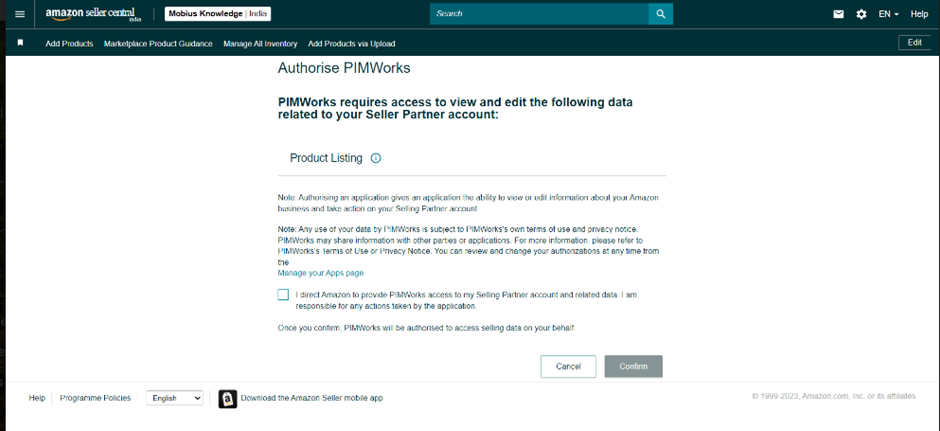
- Check the permissions and click on the confirm button
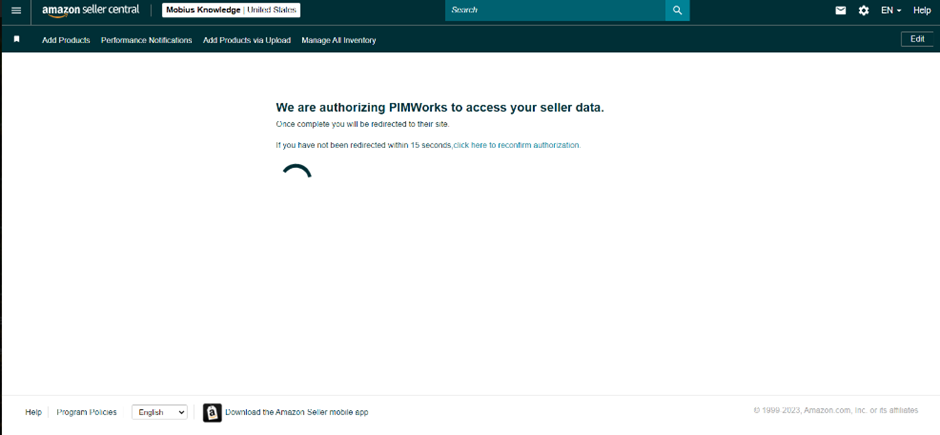
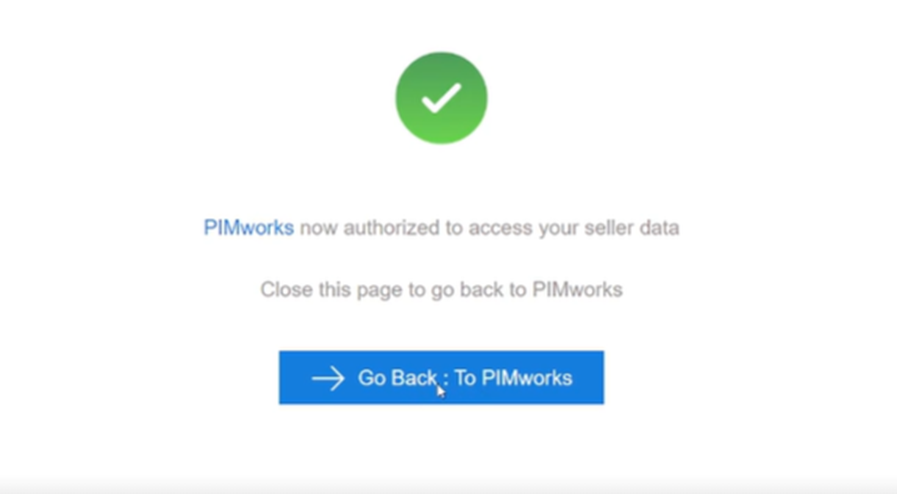
- Upon confirmation, you will be redirected to this page
- Go back to PIMworks and login to your account
- Navigate to Channel > Manage Channel to check the credentials validation.
Repeat the process for various stores by logging into their corresponding seller central accounts and granting access.
Was this article helpful?
That’s Great!
Thank you for your feedback
Sorry! We couldn't be helpful
Thank you for your feedback
Feedback sent
We appreciate your effort and will try to fix the article
