Who can use this feature?

Super users and PIM Users with Read/Write permission for Channel Subscription module

Available on Accounts with subscription to Channel Subscription module
Prerequisite

1. Amazon Seller central account
2. API credentials
Subscribe Amazon seller central channel and adding tokens:
1. Navigate to Channels > Manage channels
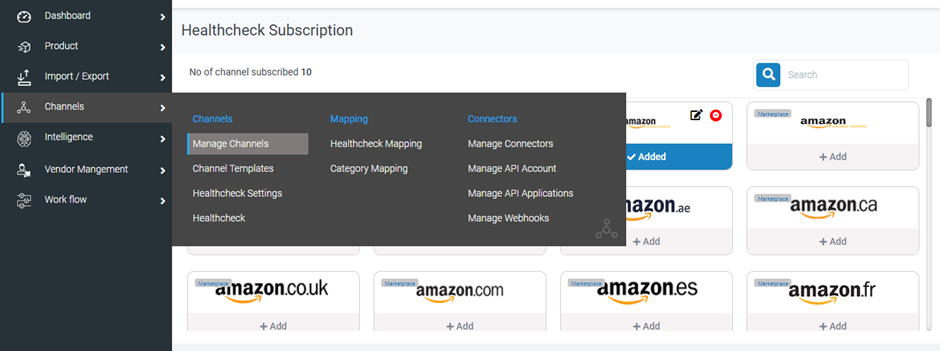
2. Search the "Amazon Seller central" Channel and click on '+Add' to subscribe.
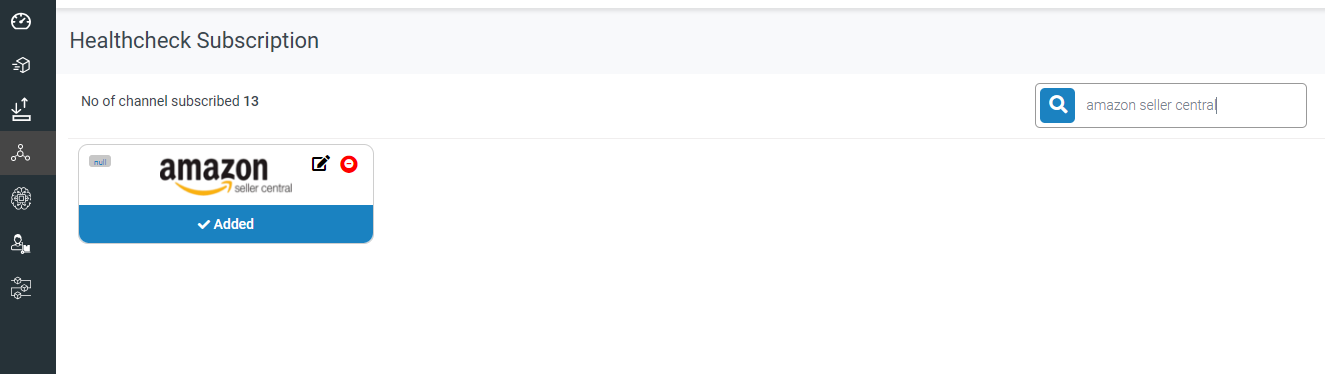
3. Click on the edit  icon to manage the store and its credentials
4. Add the store credentials and save the information.
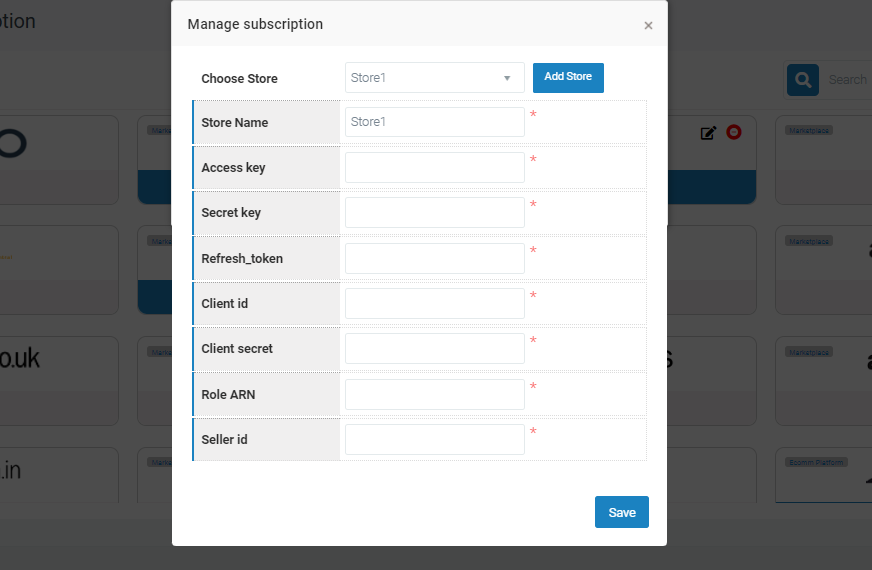
PIMWorks will validate credentials upon saving itUser can add multiple stores and manage it in PIMworks
Was this article helpful?
That’s Great!
Thank you for your feedback
Sorry! We couldn't be helpful
Thank you for your feedback
Feedback sent
We appreciate your effort and will try to fix the article