Who can use this feature?

Any User who has Valid Seller central Amazon Account
Connecting PIMworks with Amazon using SP API
To establish connection between PIMworks and Amazon using SP API following credentials need to be generated.
1. Amazon seller id
2. LWA Client_id
3. LWA Client_secret
4. Refresh token
If same seller sells in multiple region, only Amazon seller id & Refresh token will varyTo get Amazon Seller id
By following the below steps you will be able to get Amazon seller id.
1. Navigate to Seller Central -> Settings -> Account Info -> Business Information -> Merchant Token.
2. Below is the link to generate merchant token
https://sellercentral.amazon.com/sw/AccountInfo/MerchantToken/step/MerchantToken
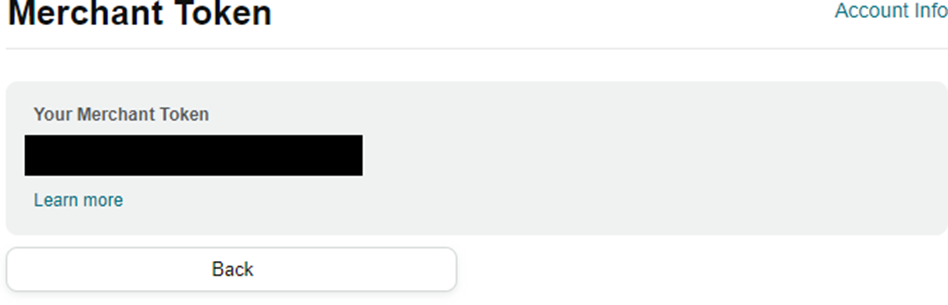
Create a private Selling Partner API application
1. Sign in to Seller Central, Navigate to User Permissions and click on 'Visit Developer Credentials'
2. On the Developer Central page, choose 'Add new App Client'.
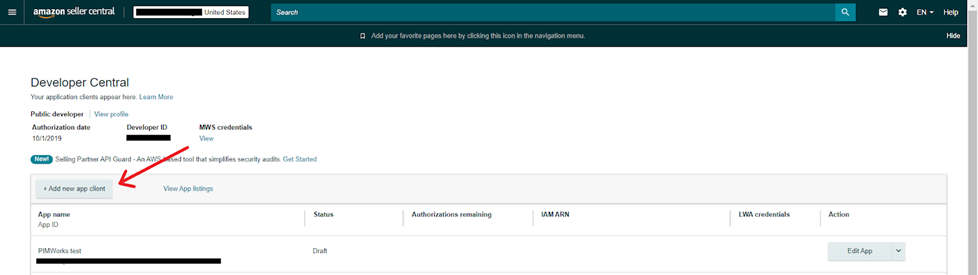
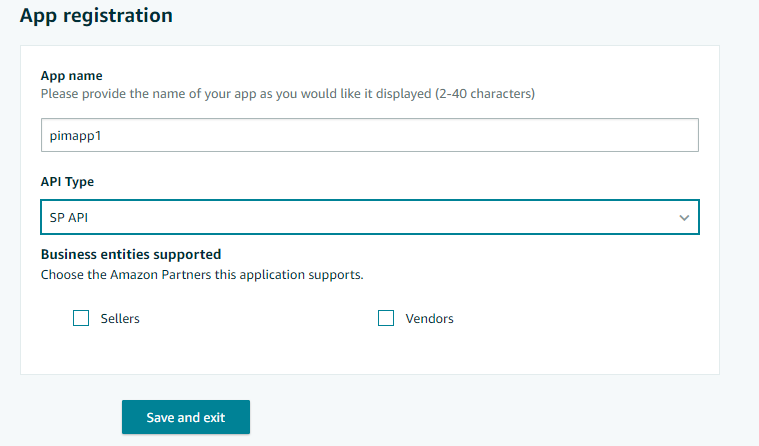
3. On the App registration form,
Fill in the following details:
● App name - Desired Application name can be given. Eg: PIMworks
● Select 'API Type' as SP API
● Select Business entities supported as 'Sellers' for syndicating with Seller Central
● Grant access to “Product Listing” to enable PIMworks to create and update product listings
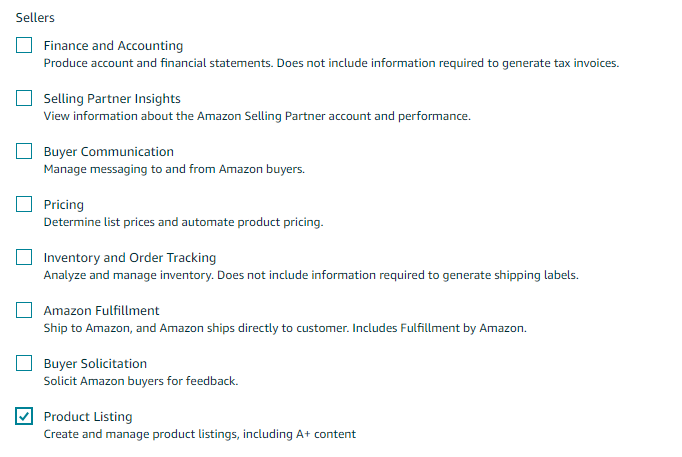
4. In the 'Restricted Data Token,' select “No, I will not delegate access to PII to another developer's application.”

Self-Authorize Your Application
1. On the Developer Central page, for the application that you want to authorize, select the arrow next to Edit App, and then select 'Authorize'.
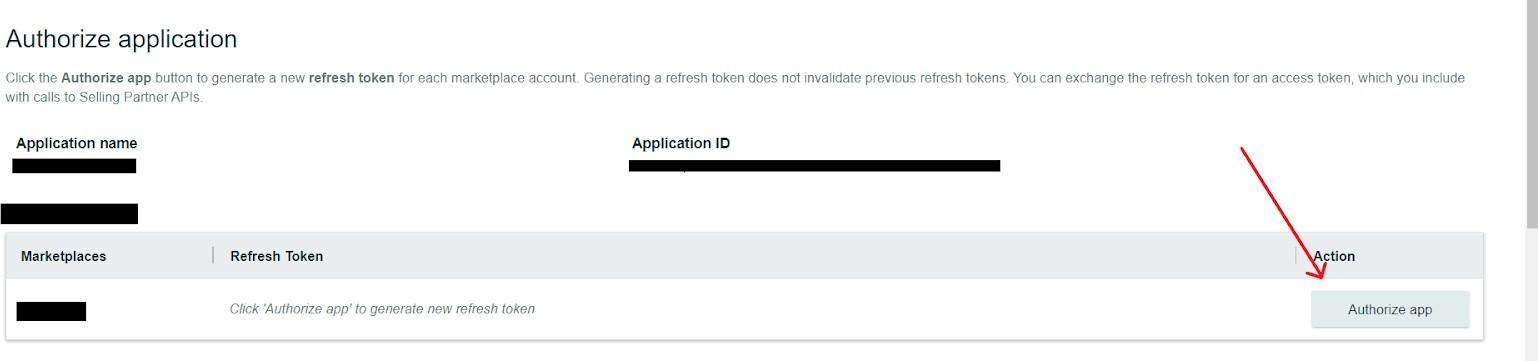
2. Choose the 'Authorize' app for each selling partner account that you want your application to access. Save a Refresh token for each selling partner account.

3. A Login with Amazon (LWA) refresh token appears each time you choose the Authorize app. Click on 'View' to view the Client id and Client secret.
 Save the Client id and Client secret.
LWA client ID and Secret Key credentials expire every 90 days. After 90 days, tokens need to be authorized and regenerated.Was this article helpful?
That’s Great!
Thank you for your feedback
Sorry! We couldn't be helpful
Thank you for your feedback
Feedback sent
We appreciate your effort and will try to fix the article
