Who can use this feature?

Admin users / Super users and Users with Read/Write permissions for Categories and Auto Category Mapping module

 Available on Accounts with subscription to Category and Automap Category module
Auto classifying products involves automatically categorizing newly created products based on their configuration, eliminating the need for users to manually classify them.
How to configure Auto Category Mapping?
- Go to Channels > Category Mapping under Mapping
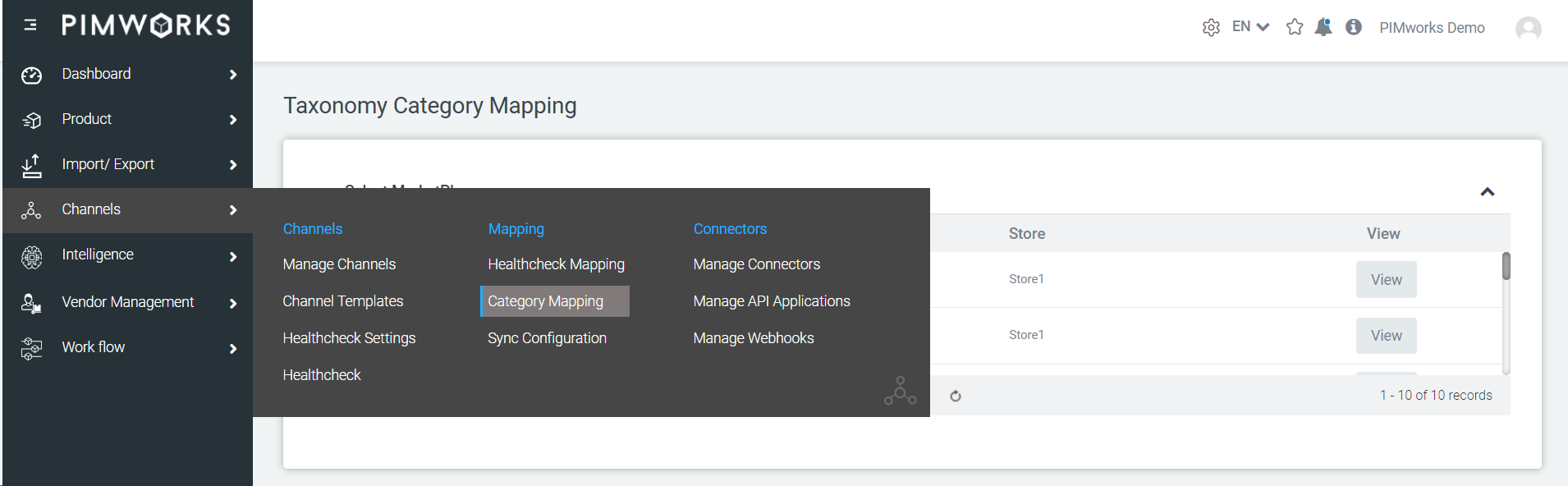
- You will see a list of subscribed marketplaces along with their respective stores for category mapping.
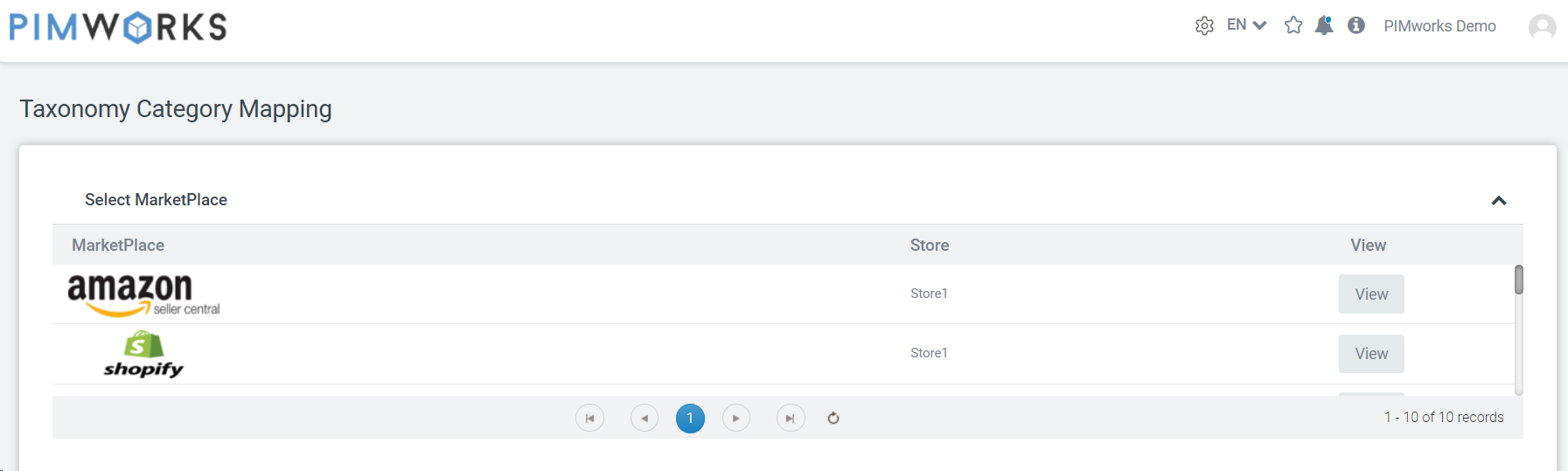
- Click on 'View' next to the channel you wish to configure, such as Houzz
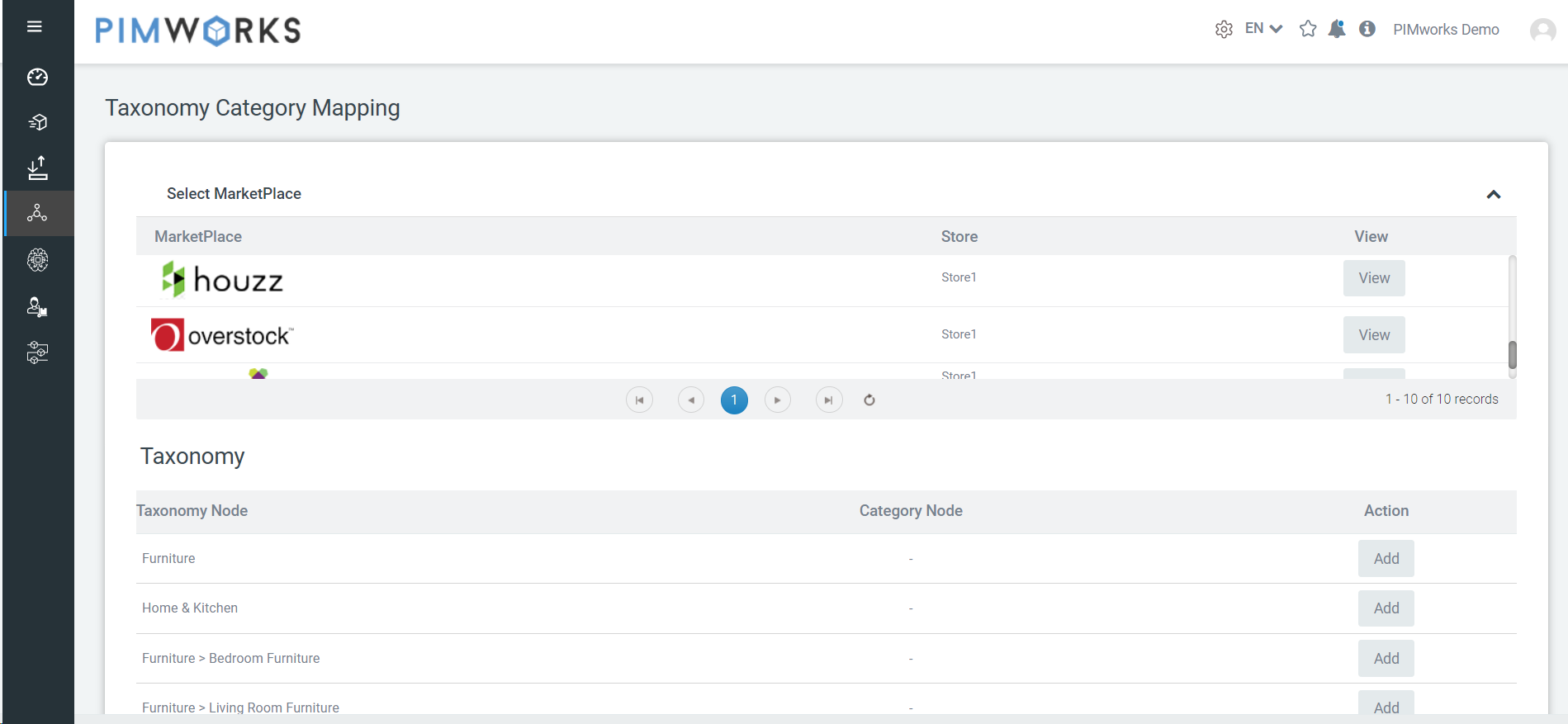
- Click on 'Add' next to a taxonomy node for which you want the products to be auto-classified
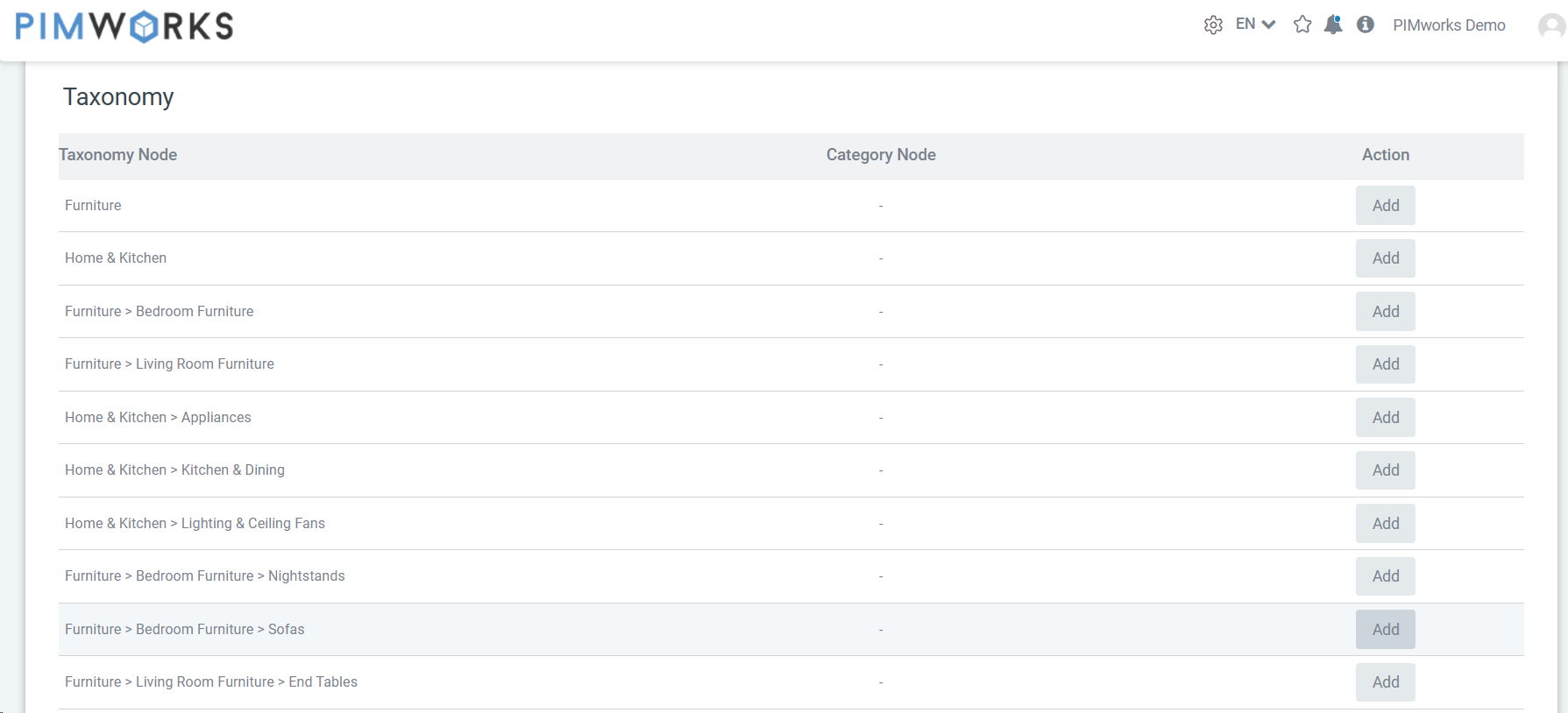
- Expand the category tree and select the desired categories by clicking 'Apply.' You can also choose multiple categories
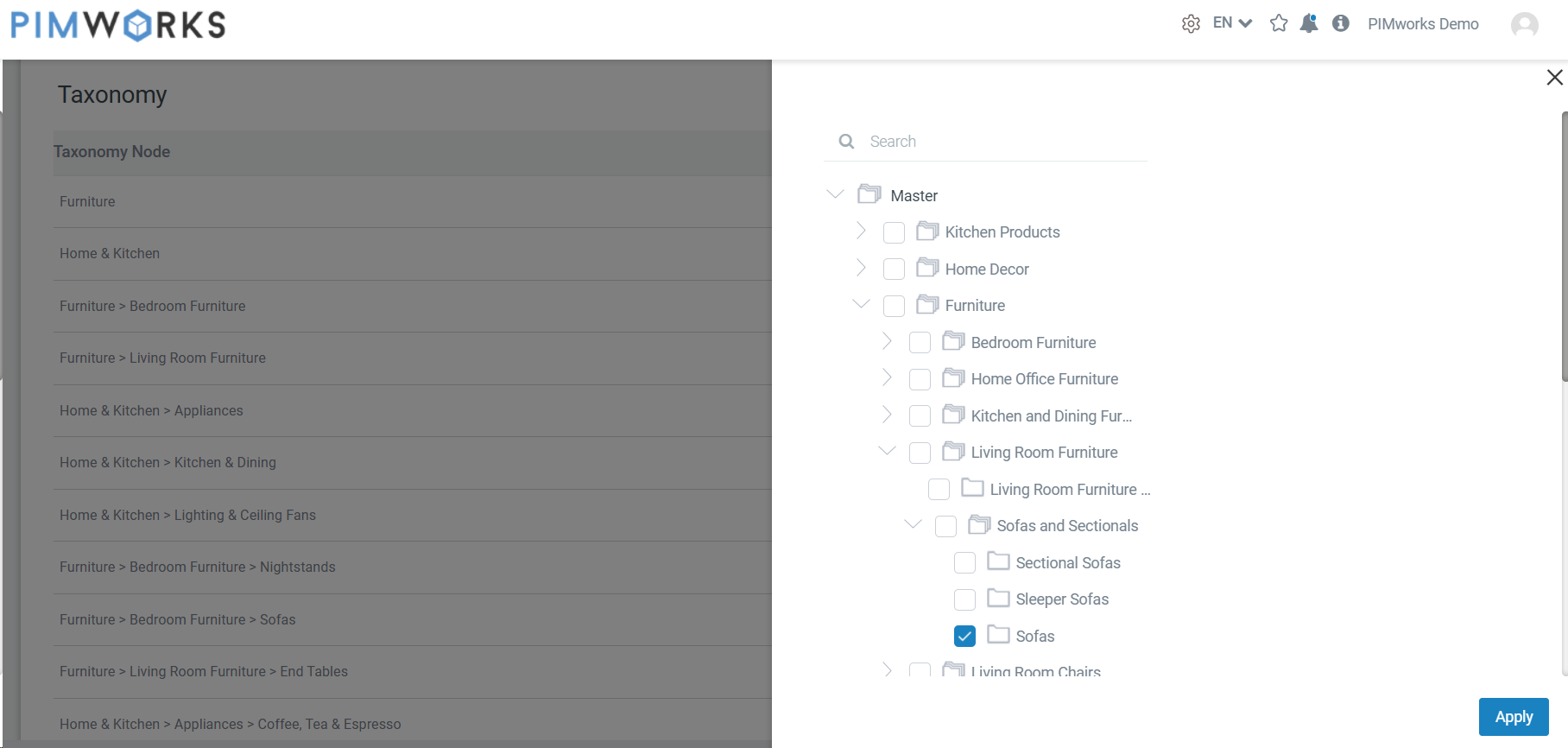
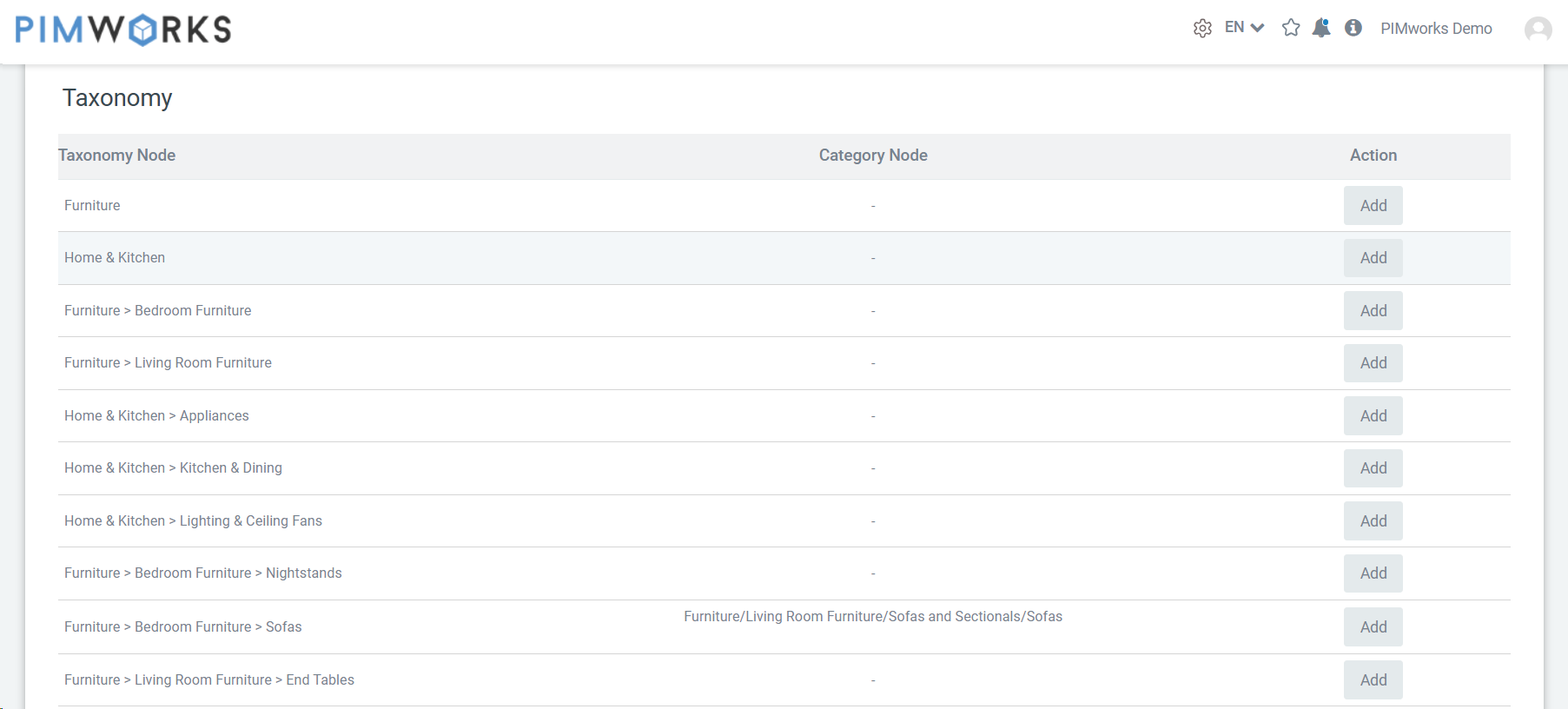
- The chosen categories will be displayed as a breadcrumb trail, aiding in easy categorization identification.
Was this article helpful?
That’s Great!
Thank you for your feedback
Sorry! We couldn't be helpful
Thank you for your feedback
Feedback sent
We appreciate your effort and will try to fix the article